
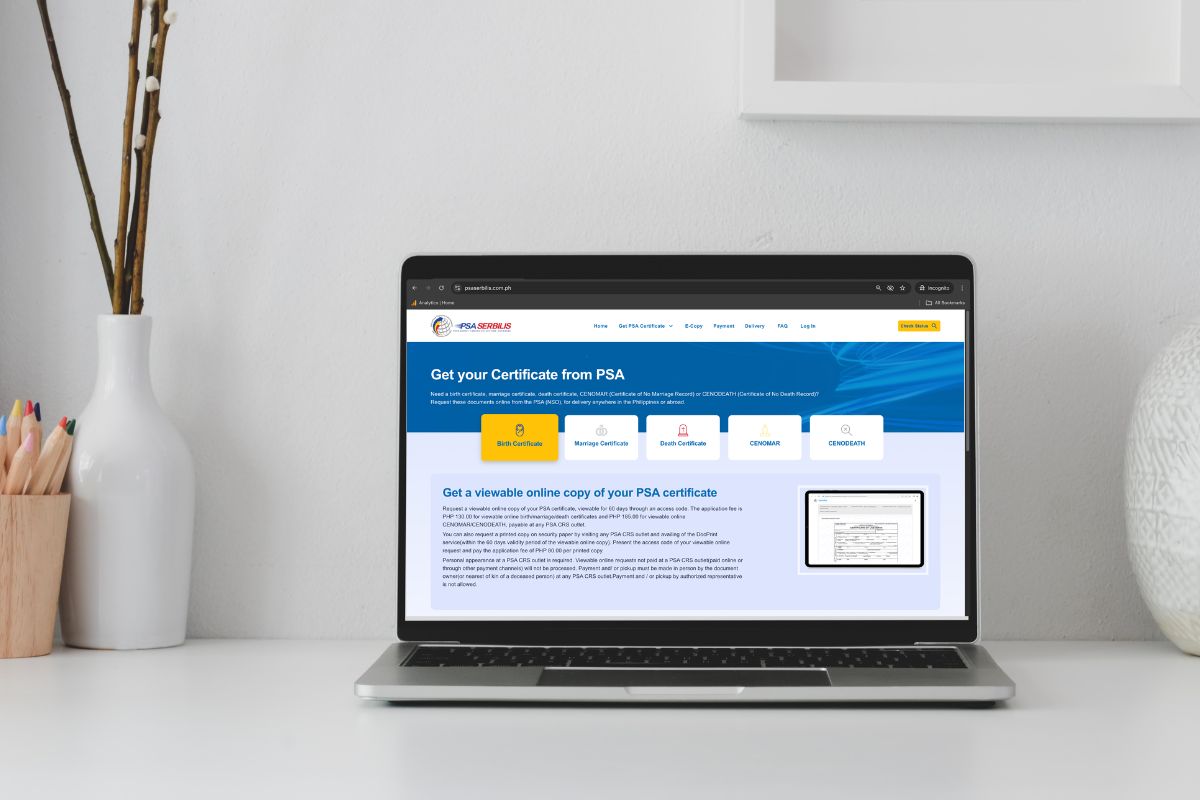
2026 PSA Birth Certificate Online Guide for Filipinos
Want to get your PSA birth certificate online? This guide is for you!
The Philippine Statistics Authority (PSA) birth certificate is one of the important documents every Filipino should have. For travelers like us, it’s one of the requirements to get our Philippine passport and apply for tourist visas like the Japan Tourist Visa, Australia Visitor Visa, and Schengen Visa.
Unlike before, it’s now easier to secure our PSA birth certificate since we can already apply for it online.
We’ll walk you through the process on how to get a PSA birth certificate online.
How to get PSA birth certificate online
There are two portals to apply and get your PSA birth certificate online:
We have no personal preference because both offer the PSA birth certificate online application and delivery. It’s really up to you on which one you’ll choose, but we’ll show you how to apply for each portal below.
How to get a PSA birth certificate online via PSA Serbilis
Step 1: Go to PSA Serbilis Online Portal
1.1 Read the reminders
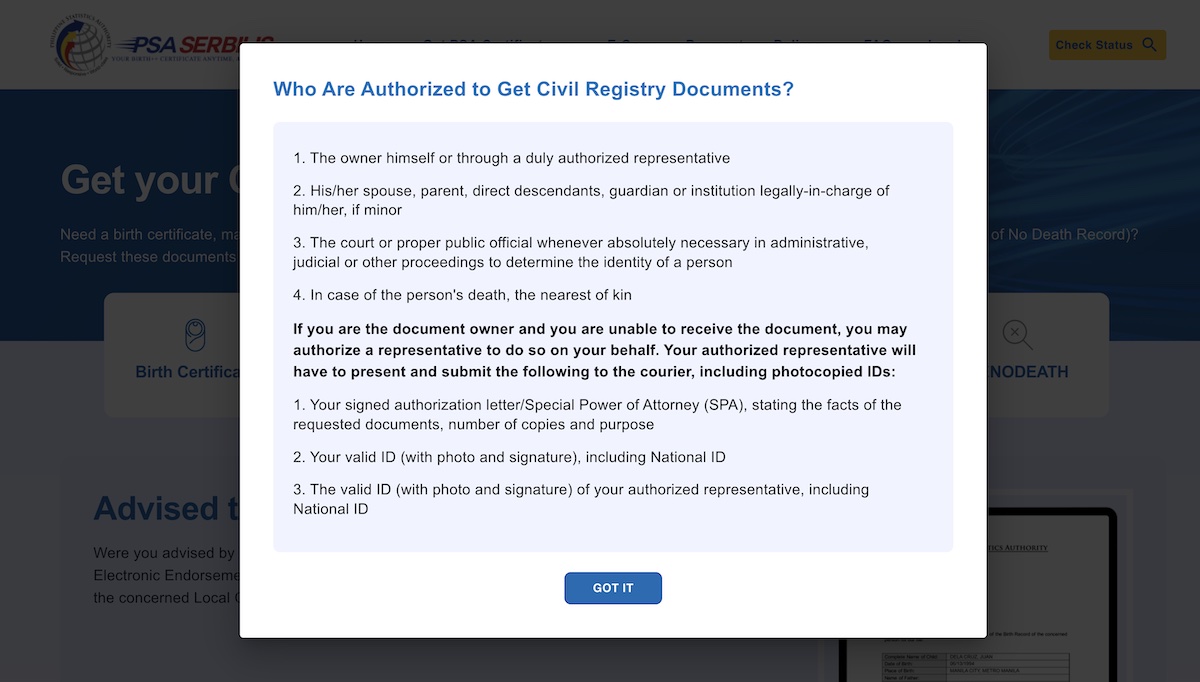
Go to PSA Serbilis online portal, read the notes, and click “GOT IT”.
1.2 Select Birth Certificate
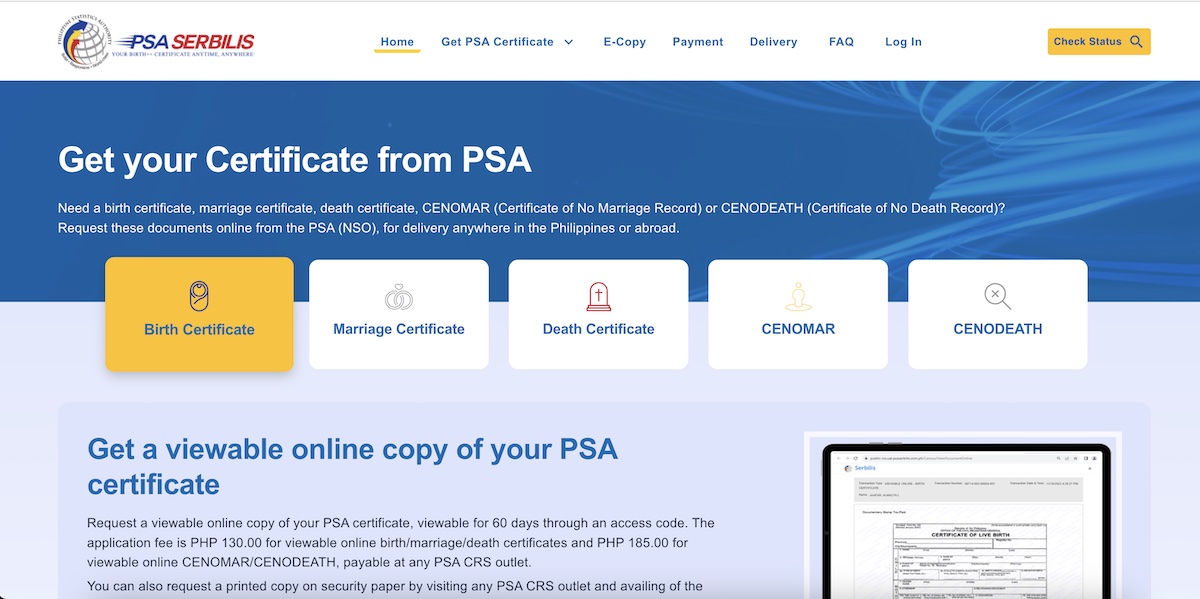
Click “Birth Certificate”. It will then ask you to select how you would like to get your PSA birth certificate.
1.3 Select delivery method
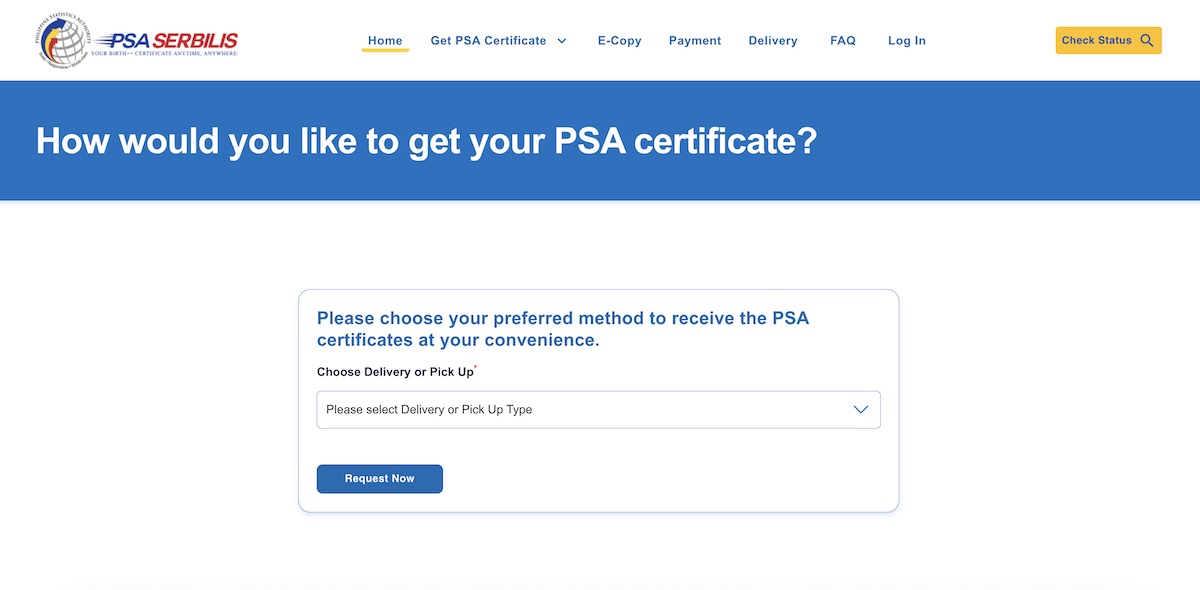
Click “Request Now” and it will redirect you to the Terms & Conditions page.
1.4 Read terms & conditions
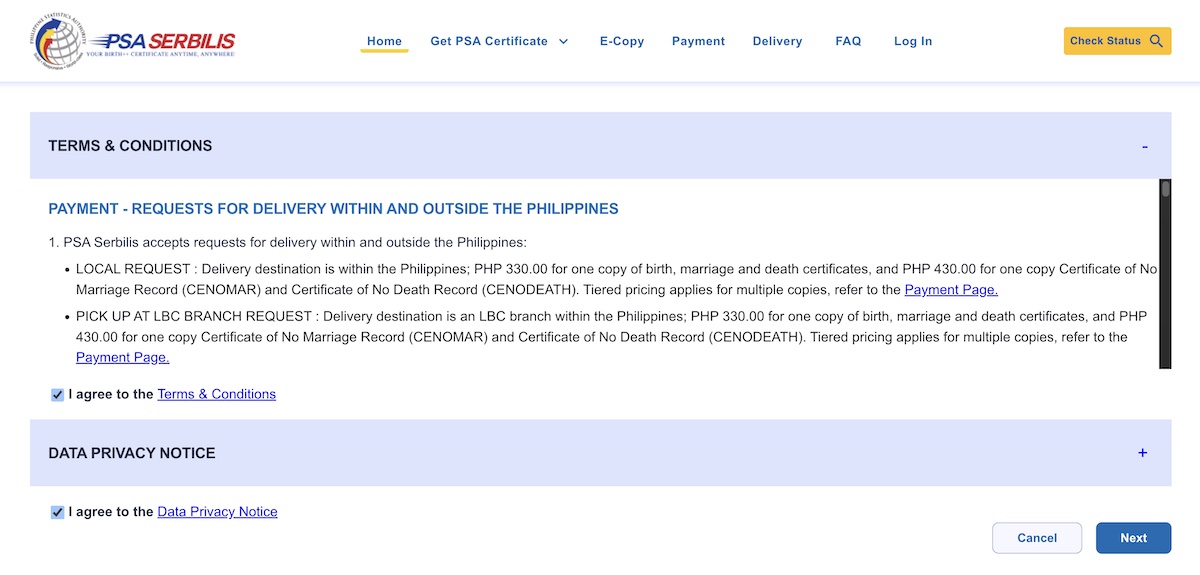
Read the Terms & Conditions as well as the Data Privacy Notice. Tick the “I agree” boxes and click “Next”.
1.5 Confirm details
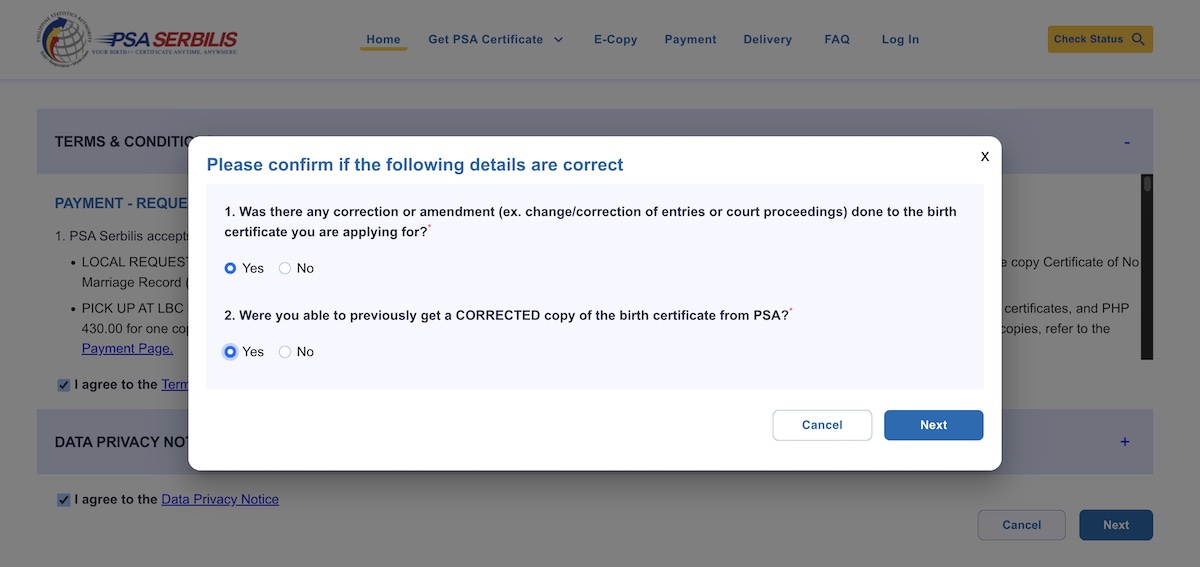
Then, there will be a prompt which will ask you to answer some questions. Answer them accurately, and click “Next”.
Step 2: Input details
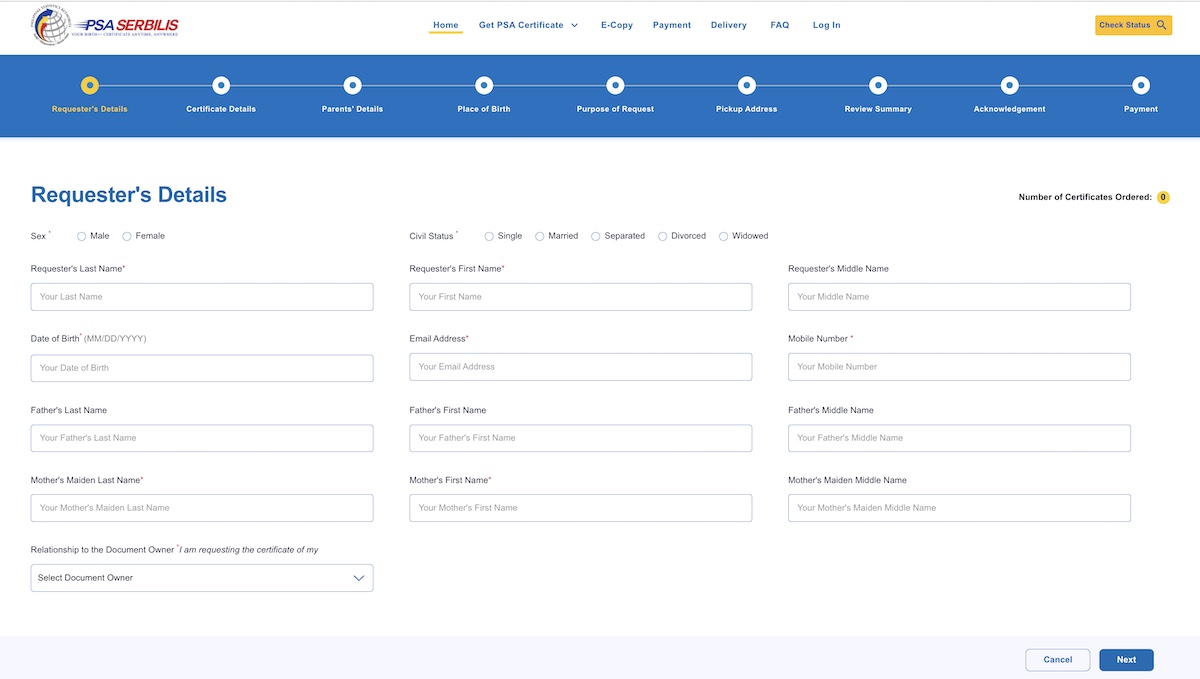
Input your personal information including your sex, civil status, complete name, birthdate, email address, mobile number, father’s name, mother’s maiden name, and relationship to document owner. Then, click “Next”.
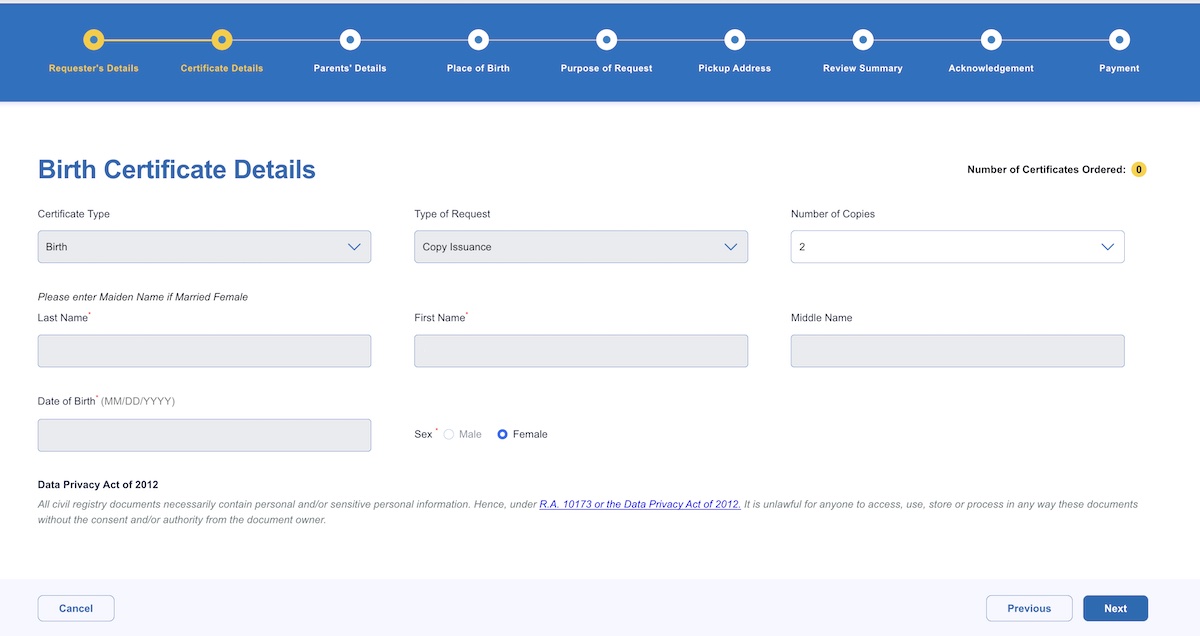
Input requested details for each page: birth certificate details, parents’ details, place of birth, purpose of request, and pick up address. Click “Next” after completing every page.
Step 3: Review summary
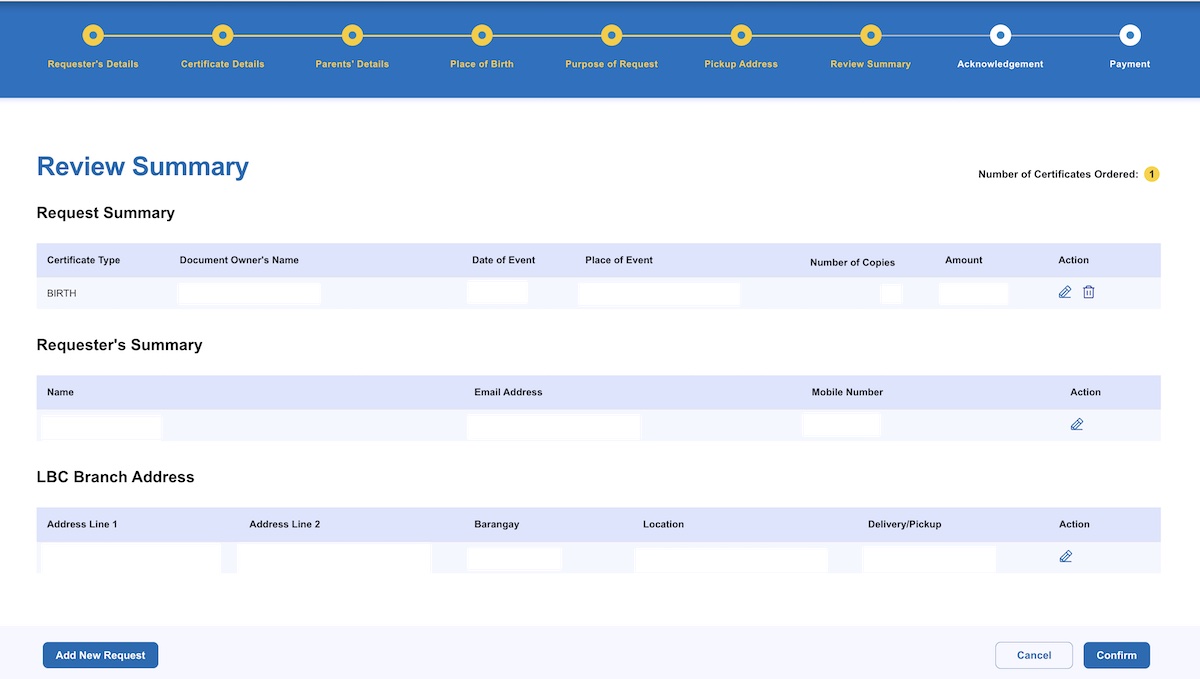
Be sure to review everything before clicking “Confirm”.
Step 4: Read the acknowledgement
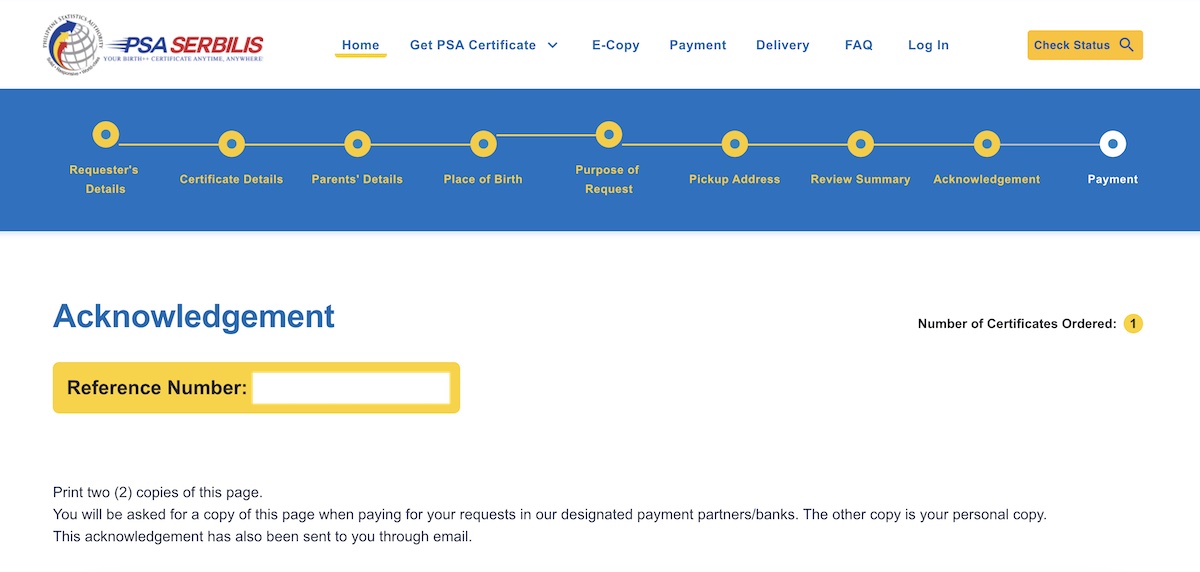
Take note of your reference number, contact and delivery information, and request summary. You also have to read the important reminders before proceeding to payment.
Step 5: Pay the PSA birth certificate fees
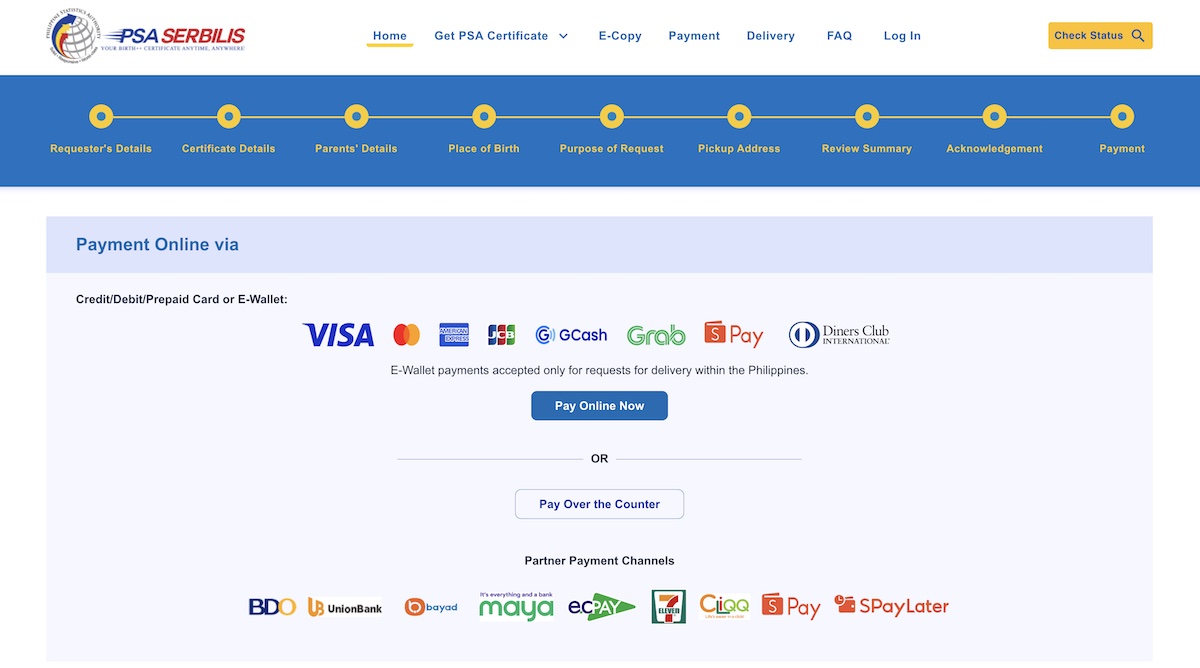
One (1) copy of the PSA birth certificate on PSA Serbilis costs ₱330. This already includes the processing fee, delivery fee, and government taxes. See complete list of PSA Serbilis fees.
You can opt to pay online or over the counter. Online payments include VISA, MasterCard, American Express, JCB, Diners Club International, and e-wallets like GCash, Grab Pay, and Shopee Pay.
If you wish to pay over the counter, you can proceed to BDO, UnionBank, Bayad Center, and more partner payment channels such as Maya, ECPay outlets, 7Eleven, and CLiQQ.
After payment, you just have to wait for your PSA birth certificate. After payment validation and processing, delivery is scheduled next day for Metro Manila, and 6 to 8 working days outside Manila.
How to get a PSA birth certificate online via PSAHelpline
Step 1: Go to PSAHelpline Online Portal
1.1 Read the reminders

Go to PSAHelpline Online Portal, and click “Order Now”.
1.2 Choose your certification type

Select “Birth”, tick the Terms and Conditions and Consent, and click “Continue”.
1.3 Who is requesting

Then, choose who is requesting your Birth Certificate, and click “Continue”.
Step 2: Input your personal information

You will get this list of information which will be collected from you. Click “Continue”, and input the needed details per page:
1. Name, sex, birthday and valid government ID
2. Name as it appears on your PSA birth certificate
3. Father’s name
4. Mother’s maiden name
5. Birthplace
6. Purpose of your request
7. Delivery address and contact information
Step 3: Review your information

Review your information, delivery details, and select the number of copies you want to request. You also need to indicate if you will be the one to receive your document or you want to nominate an authorized person to receive it. Then, tick the “I confirm”, and click “Continue”.
Step 4: Pay the fees

One (1) copy of the PSA birth certificate on PSAHelpline costs ₱365. This already includes the processing fee and delivery fee.
You can opt to pay via different payment channels including Maya, GCash, Bayad Online, credit card, BancNet, or Dragonpay. If you prefer over-the-counter payments, you can proceed to any 7-Eleven, Bayad, or Palawan Pawnshop branch.
After payment, your PSA birth certificate from PSAHelpline will be delivered to you within 3 to 4 working days if you are within Metro Manila or 3 to 8 working days if you are living outside Manila.
Friendly reminders
- Double-check your information before submitting your PSA birth certificate request.
- Once payment is done, you cannot cancel your request or ask for a refund.
- Due to the Data Privacy Act (RA 10173), the PSA delivery agencies would not allow anyone to claim your document on your behalf. It is advised that you personally claim your PSA birth certificate upon delivery. For instance, PSAHelpline does not allow other people to receive your PSA birth certificate even if you leave a letter of authority. You may read their delivery reminders. For PSA Serbilis, you may read their FAQs.
Now that you know how to get your PSA birth certificate online, which of these platforms do you prefer to use?
Before you go, you may be interested in reading our other guides:
- Freelancer BIR Registration Guide
- SSS Online Payment Guide
- PhilHealth Online Payment Guide
- Pag-IBIG Online Payment Guide
*Screenshots taken from PSA Serbilis and PSAHelpline online portals. For more information, visit PSA’s Official Website.